Sep 16, 2026

A buyer signs a purchase agreement, receives a congratulations email, and then discovers that the clearest view of the next several months lives inside the builder's internal systems. Construction has the schedule, closing has a checklist, and the sales representative becomes the person connecting the answers.
A new home portal is a builder-branded online space where customers can follow their home's progress, find documents, understand upcoming tasks, and get help from contract through ownership. Its value depends on more than putting information behind a login. The information must be relevant, maintained, and connected to people who can act.
In 2026, a homebuilder customer portal should meet customers where they are: on a laptop, in a mobile browser, or in a native iOS or Android app that mirrors the portal's core experience. Customers should be able to choose how they participate without losing access to information or support. One connected experience should not mean one required device, one channel, or one way of buying a home.
The experience should also be unmistakably the builder's: its name, brand, and customer relationship, not a generic app or portal that asks customers to connect with an unfamiliar software company.
For builders, the practical question is simple: does that experience make the next step easier for customers and remove avoidable work for the team?
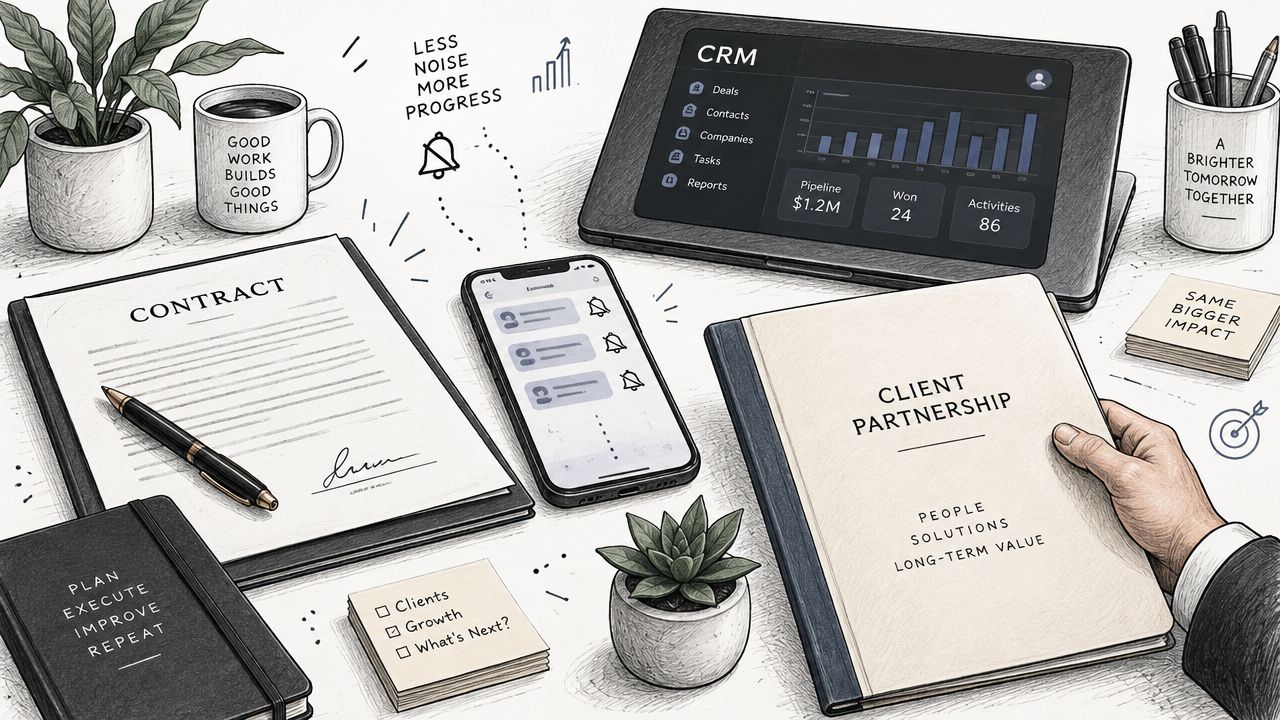
The Digital Blackout After the Contract Is Signed
The contract should begin a more coordinated relationship, not a quieter one. Yet the information a customer needs may be spread across a construction schedule, a lender's requests, a document folder, and several employees' messages.
Consider a routine walkthrough. The builder knows its purpose, the construction conditions required, and who schedules it. The customer may only know that someone mentioned a walkthrough during the sales conversation. Without a clear explanation, they contact sales, which contacts construction, which checks with the coordinator.
The missing information creates a chain of work before anyone answers the original question.
Start with the questions customers actually ask
Review recent customer conversations before deciding what belongs in the portal. Look for repeated questions about the next appointment, current construction stage, required documents, utility setup, or whom to contact after closing.
For each question, identify the authoritative information, the person responsible for maintaining it, and the action the customer needs to take. Some answers can come from connected systems. Others require an approved explanation or a personal response.
That is the practical purpose of putting the post-contract experience on autopilot: remove repetitive coordination so sales can spend more time selling and teams can give customers attention where it matters.
What a New Home Portal Actually Is
A portal is the customer-facing part of a broader workflow. It should not be confused with the entire customer experience platform behind it.
A CRM can retain sales and contract information. Construction software manages production. An ERP maintains financial and operational records. The customer experience platform connects relevant information, communication, and actions; the portal makes the customer's part understandable.
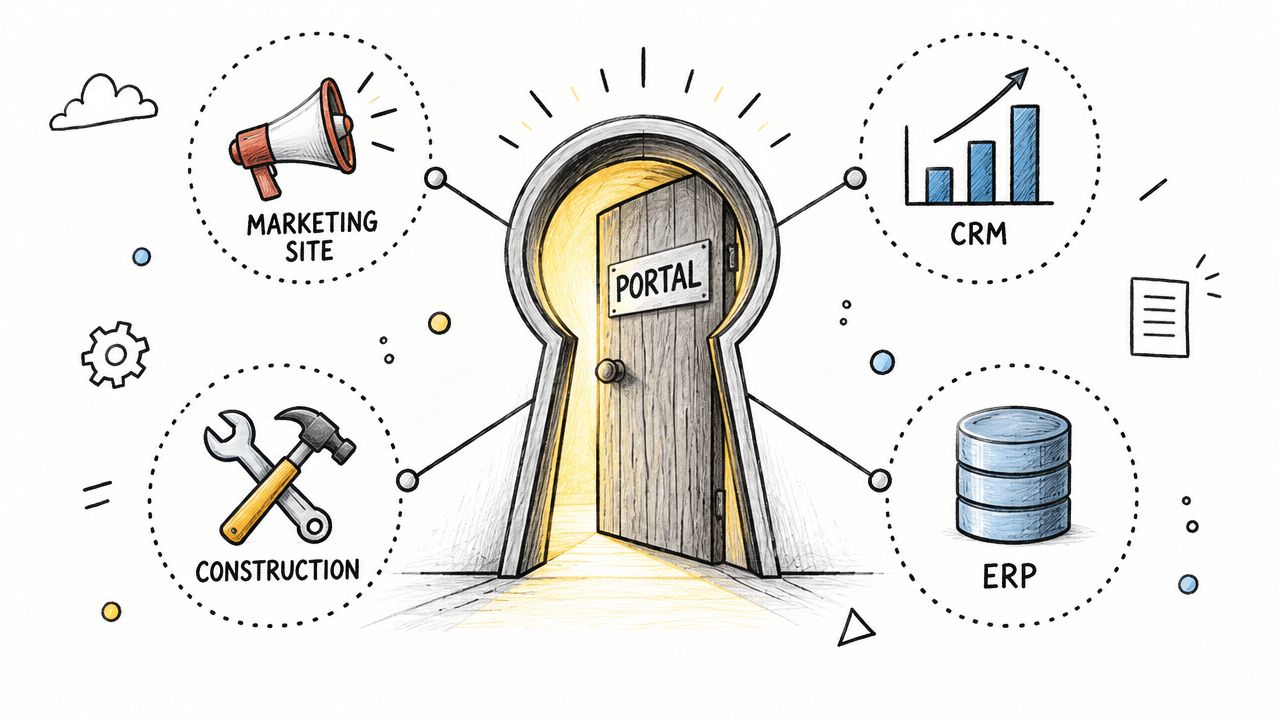
Foundation's Operator tools, for example, give builder teams desktop, tablet, and mobile access to manage communication, documents, and customer activity. Customers use the builder-branded app or portal instead. A salesperson in the sales center and a Customer Care coordinator in the field need tools suited to their work, just as customers need access suited to theirs.
These are connected experiences, not identical views of every internal record. The customer should see the information and actions relevant to their home, while employees retain the context needed to help.
Four phases, one relationship
Use this starting map to define what the portal needs to explain. Adapt it to your actual sales and construction process.
Phase | What the customer needs | What the builder must maintain |
|---|---|---|
Contract and pre-construction | A welcome, relevant appointments, decision deadlines, and assigned contacts | Correct customer-to-home association and instructions for the current stage |
Construction | Understandable progress, approved updates, and the next expected interaction | Verified milestones, useful context, and ownership of questions |
Closing and possession | Preparation tasks, appointments, document access, and handoff instructions | Confirmed requirements, responsible parties, and current timing |
Ownership | Home-specific information, care guidance, and a clear service path | Accurate product records, warranty instructions, and customer support ownership |
A quick move-in customer should not receive an unfinished-build checklist full of decisions already made. Their first visit should emphasize the home's current condition, existing selections, upcoming appointments, and closing preparation.
Similarly, showing an approved selection document is not the same as providing a design configurator or authorizing a change order. Confirm what the portal displays, what customers can submit, and where approval actually happens.
In 2026, Meet Customers Where They Are
The choice should not be portal or app. A modern homebuilder experience should provide a responsive web portal and native mobile apps that work together, supported by useful notifications. Customers may prefer different channels, and the same person may switch devices depending on the task.
Someone might review a purchase document on a laptop, check a construction update in an app, and look up an appliance manual in a phone browser after moving in. Each visit should connect to the same home and current information, not a separate version of the relationship.
Keep the experience under the builder's brand
Customers chose the builder, not the company supplying its software. A white-labeled experience should carry the builder's identity from the app-store listing and app icon to the portal, notifications, and support experience. That goes beyond adding a logo inside a generic vendor-branded app. The name, visual identity, language, and customer journey should feel like a continuation of the relationship established in the sales center.
The brand value comes from what happens inside that experience. Each useful construction update, clear closing reminder, and helpful service response is an opportunity to reinforce the builder's reliability. Consistent branding helps customers recognize the source and connects that service back to the company they trusted to build their home. The goal is to strengthen that trust through recognizable, dependable service, not branding alone.
The technology partner can power the platform while the builder remains the customer-facing brand, keeping the relationship front and center from contract through ownership.
Native apps should mirror the portal, not compete with it
Evaluate native iOS and Android apps as more than optional branding accessories. They should mirror the portal's core content and capabilities: messages, milestones, documents, customer tasks, home details, and the configured service-request experience. Foundation provides builder-branded apps and an integrated customer portal around that model.
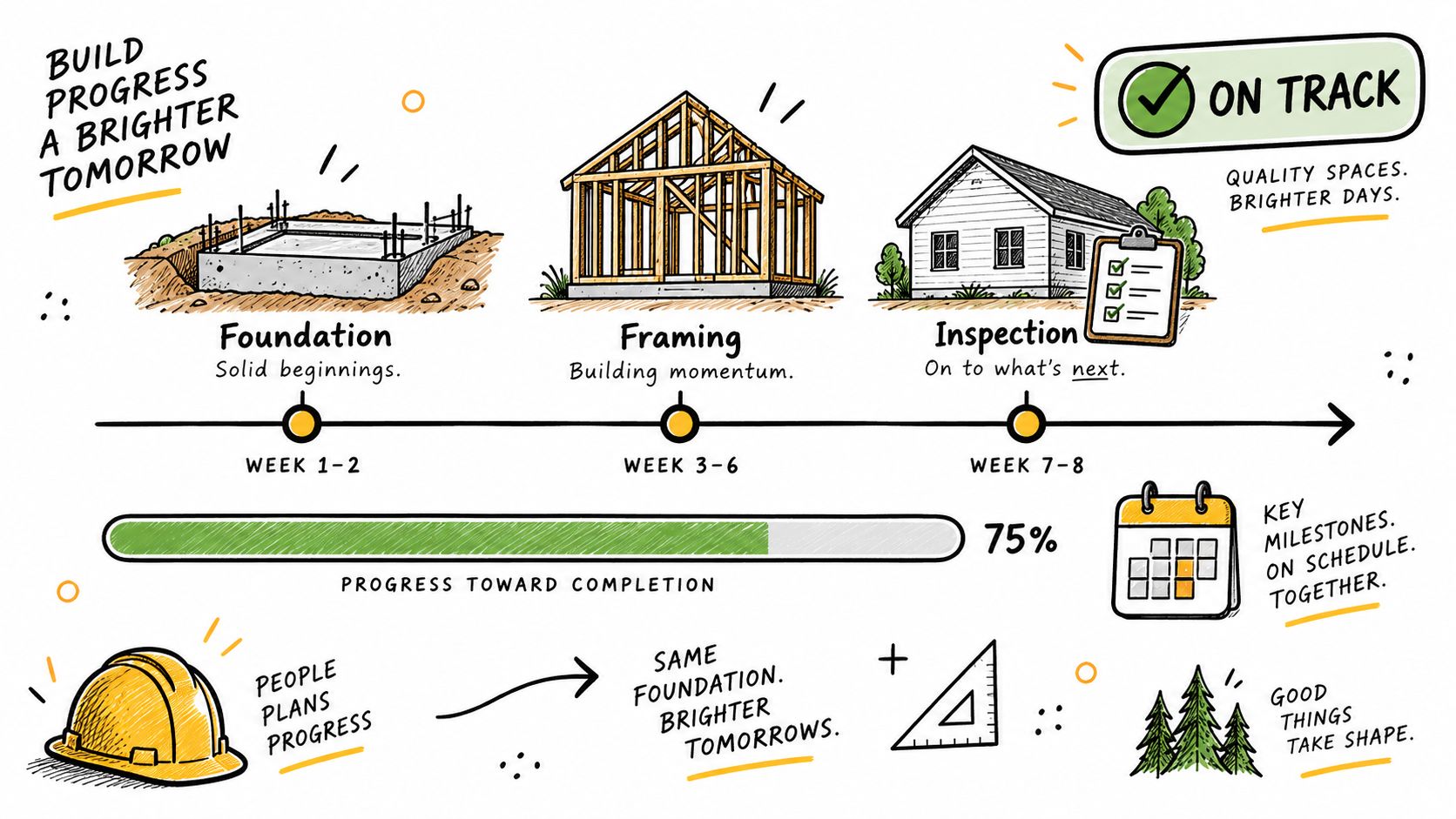
Mirroring does not mean forcing a desktop layout onto a phone. It means consistent information and usable actions, with navigation and controls appropriate to each device. A completed action should not appear unfinished simply because the customer switches from the app to the browser.
Use this access map when evaluating the experience:
Access point | Customer use case | What to verify |
|---|---|---|
Desktop or laptop portal | Review documents and prepare for an appointment | Current files, readable instructions, and clear next steps |
Mobile or tablet browser | Check progress or get help without installing an app | Core tasks work on a smaller screen without a forced download |
Native iOS and Android apps | Follow updates, message the team, and submit service information | The same relevant home information and completed actions are available across app and portal |
Email, push, and opted-in SMS | Learn that something changed or needs attention | The message leads to the correct information and explains how to respond |
An app download should be a choice, not a condition of service
Offer the native app, explain its value, and make it easy to find under the builder's brand. But keep the browser experience useful for customers who do not install it. Notifications can bring people back to information when it matters, rather than requiring them to check the portal every day.
Foundation supports branded email notifications alongside app push notifications, with SMS notifications for opted-in customers when configured for the builder. Invited customers can receive email updates without first downloading the app. Access to private account information still requires the appropriate login.
Notification preferences matter. Apple's notification controls allow users to mute or turn off alerts. An installed app therefore does not prove a customer received or acted on a message. Agree on a follow-up process for important unresolved actions instead of treating notification volume as success.
The goal is not to send every message through every channel regardless of preference. It is to publish accurate information once, use the configured delivery channels appropriately, and keep the conversation connected.
Flexibility includes accessibility and language
W3C's mobile accessibility guidance covers websites and apps, including differences in screen size and input methods. Test readable text, touch controls, and assistive-technology use across the experience, not just whether a page shrinks to fit a phone.
Also ask which interface elements, documents, and conversations support each customer's language. A translated menu does not mean every document or message is translated. The standard is usable access, not a one-size-fits-all interface.
Closing-Phase Features Every Portal Needs
A useful closing experience answers four questions: What is happening? What do I need to do? Where can I find the information? Who can help?
Milestones that explain progress without overpromising
Translate internal construction stages into language customers understand. Explain what a stage involves, what has been verified, and what interaction comes next.
Keep expected dates distinct from confirmed appointments. A construction forecast is not automatically a closing commitment. When timing changes, someone should review the customer impact and explain it rather than leave two conflicting dates visible.
Also test quiet periods. When no milestone changes for a while, useful education or an honest update can be more helpful than an unchanged progress bar. Automation should support a communication plan, not make silence the default whenever the schedule stays still.

Documents organized around the customer's needs
Group purchase agreements, addenda, approved selection records, community information, and ownership materials by purpose. Use understandable titles and make clear which version customers should use.
Keep lender and title responsibilities explicit. The Consumer Financial Protection Bureau's guidance on reviewing closing documents advises U.S. buyers to confirm who will send their Closing Disclosure and how they will receive it. A builder portal can explain that handoff without becoming the lender's document system.
Do not ask customers to upload sensitive financial information merely to make the portal look comprehensive. Direct them to the responsible party's approved process where appropriate. Access to a document, a signature, and approval are different events.
Tasks customers can complete without guessing
Each task should explain the action, any deadline, where to complete it, and whom to contact for help. Distinguish a customer's submission from the team's confirmation that the requirement is satisfied.
Test instructions on a phone. Can someone understand the requested file, fix an error, and tell whether the submission succeeded? W3C's accessible forms guidance emphasizes clear labels, instructions, input checks, and useful success or error feedback. Those are practical evaluation criteria, not just interface details.
Avoid asking customers to maintain the builder's internal schedule. Show the actions relevant to them and keep internal coordination with the responsible teams.
Communication with an obvious response path
A notification and a conversation are not the same capability. Test where a customer goes after receiving an email, push notification, or text, how they reply, and who sees the response. An SMS alert does not automatically mean replies to that text become part of the platform conversation.
The builder's brand should remain recognizable, but the experience also needs a clear contact, response expectation, and next step. A logo cannot compensate for an unanswered message.
Foundation's Closing Concierge brings together customer-facing milestones, action items, documents, updates, and messaging. The implementation work is deciding how those tools reflect the builder's actual commitments and communication standards.
From Buyer to Homeowner in the Same Experience
Closing changes what customers need. It should not erase the relationship or force them into another app to get help. The portal and native apps should continue with them, adding ownership information while preserving relevant purchase records and communication.
Before the ownership transition, check that customers can still find relevant purchase documents and conversations, understand their new support contacts, and reach the correct service process. Update the experience around living in the home, not just completing the transaction.
Home information should match the home
Useful ownership content includes appliance models, manuals, paint colors, finish details, and care instructions for installed products. A generic community brochure cannot answer which filter or appliance manual applies to a particular home.
Confirm product information against the home's actual records, including substitutions and quick move-in selections. Give customers the manufacturer's instructions rather than inventing a universal maintenance schedule. Where a U.S. product safety question arises, the Consumer Product Safety Commission's recall search is a resource for checking relevant notices; linking to it does not mean the portal automatically monitors recalls.
Foundation's Ownership Experience supports ongoing access to home details, documents, maintenance guidance, and service-request access. Its usefulness depends on the information available for that home and the workflows configured for the builder.
Make the service route unmistakable
Explain how to submit a routine request, what information helps the team assess it, and how the customer will hear back. Also make urgent-contact instructions visible; customers should not assume an online form is monitored continuously.
The Federal Trade Commission's guidance on new-home warranties advises customers to follow their warranty's claim instructions and retain records of communications. Portal instructions should support the applicable process, not imply that any online submission replaces every required notice.
Distinguish two operating models. A portal may forward a request to an existing service process or link customers to another provider. Alternatively, a connected warranty platform may manage the work itself. A link or forwarded email does not automatically bring status updates back into the portal.
With WarrantyOS, Foundation supports service requests, work orders, vendor coordination, scheduling, approvals, and customer communication. Customers submit and track service requests through the builder's app or portal while Customer Care teams manage the work. Confirm the specific workflow instead of assuming every portal includes these capabilities.
Before and After: One Home, Several Devices
Consider an illustrative household preparing for a walkthrough. One customer prefers an Android app; the co-buyer uses a laptop. Without a connected experience, sales texts one person, emails the other, and later answers a question from a different thread. Nobody is sure which instructions are current.
In the target workflow, the team publishes one approved update associated with the home. Both customers can see it through their authorized accounts, whether they use the native app or the web portal. A follow-up question joins the home's conversation, where the relevant builder team can respond with the same context.
After closing, a sticking interior door creates a new need. A customer submits a service request with photos from their phone, then checks the recorded request on a laptop. Customer Care receives the home and issue details without asking the customer to send everything again.
This is a workflow to demonstrate during evaluation, not a promise that every portal supports every step. Test both devices and verify the information after a completed submission. Do not assume an unfinished draft automatically transfers between devices.
Keep responsibility with the builder
Customer choice should not create separate queues that employees must reconcile manually. Name the internal owner for unanswered messages, service review, appointment confirmation, and follow-through.
Sending a work order does not mean a trade accepted it. Acknowledging a request does not mean it is resolved. Confirm who records trade responses and keeps customers informed, including when the vendor works by phone or email.
Meet customers across devices without making them carry the conversation between departments. That is the difference between more access points and a genuinely connected experience.
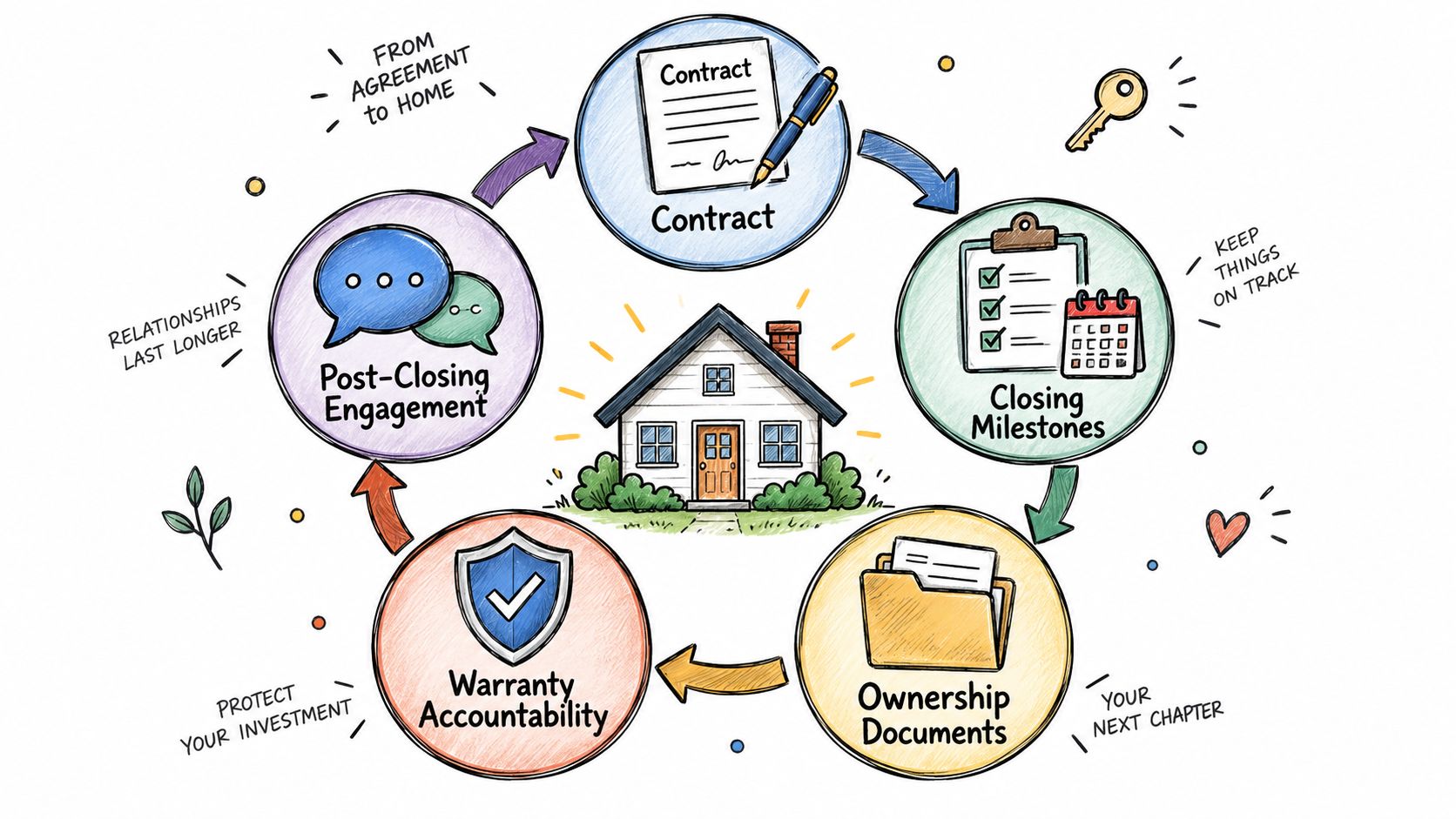
How Portals Strengthen the Full Lifecycle
A useful portal should give customers reasons to return after move-in without becoming a stream of promotional messages. Home information, relevant maintenance guidance, community updates, and responsive service create practical value throughout ownership.
Repeated questions can also improve the process. If customers keep asking where to find a manual, investigate the labeling, product match, or navigation before sending another reminder. If a closing task repeatedly stalls, check whether the instruction is understandable and whether the customer can complete it.
Measure completed customer tasks, not just downloads
Separate invitation, account activation, app installation, and successful task completion. An installed app with outdated information is not evidence of a better experience. A customer using the browser and receiving useful notifications may be well supported without downloading an app.
Start with a small scorecard and review comparable homes at comparable journey stages. Count useful actions across the app and portal, not just in the channel the team prefers.
Measure | Practical definition | What to investigate |
|---|---|---|
Invitation coverage | Percentage of eligible customer accounts invited during the period | Missing contacts, incorrect home associations, or missed handoffs |
First useful action | Percentage of invited accounts completing an agreed action through the app or portal within a defined period | Login friction, device-specific problems, or an empty first visit |
Task completion quality | Share of due customer tasks completed and accepted without avoidable rework | Confusing requirements, rejected files, or premature completion |
Repeated status requests | Repeat questions about the same item within a defined sample | Stale information, unclear next steps, or failed communication |
Staff coordination effort | Time spent maintaining information and handling follow-up | Whether automation removes work or moves it to another team |
Pair these measures with customer feedback and service outcomes. Fewer requests are not a success if customers find it harder to get help. The broader guide to measuring customer engagement can help connect activity with the experience behind it.
Where reporting allows, compare task completion across browser and app users. A gap can identify confusing instructions, unsupported actions, or login friction; it does not automatically mean one group is less engaged.
Recovered time is capacity, not automatic payroll savings or additional sales. Specify how teams will use that capacity: prospect follow-up, closing exceptions, or more attentive Customer Care.
Implementation Choices That Decide Real Value
Choose the portal around the experience your teams can sustain. Assign ownership for content, customer invitations, source-system updates, unanswered messages, and service handoffs before launch.
Map the information and access
For each important item, document where it originates, how it reaches the portal, how often it changes, and who handles missing or incorrect data. Some documents may be shared across a community; others belong only to one home or transaction.
Evaluate the actual data flow rather than assuming that an integration logo means everything updates immediately. The homebuilder integrations guide provides broader context, but your implementation needs a specific map of records and responsibilities.
Test access with different accounts. Customers must not see another household's documents, and internal information should not become customer-facing by accident. Use NIST's principle of least privilege as a design reference: access should be limited to what the role requires. Ask vendors to demonstrate the controls available today, including what happens when a customer changes homes or an employee leaves.
Watch people use it before calling it ready
The GOV.UK method for moderated usability testing emphasizes observing people attempting realistic tasks. Apply that approach with representative customers and employees instead of relying only on a guided vendor demonstration.
Ask participants to:
Open an invitation in a mobile browser without installing the app, then identify the next action.
Find the same construction update and current document in the web portal and native app.
Submit a question or routine service request from a phone, then locate the recorded submission on a laptop.
Receive an enabled notification, follow it to the relevant information, and identify the reply path. Repeat with push notifications turned off to check the remaining communication options.
Locate a home-specific manual and the correct support contact after closing.
Run these tasks on iOS, Android, desktop, and tablet or mobile browsers, using test accounts. Include a co-buyer with a separate authorized login and participants with relevant accessibility needs. Record hesitation, repeated entry, missing information, and any action that unexpectedly requires another device.
Launch the workflow, not just the login
Start with a defined community or customer group. Check the content before invitations go out, practice employee handoffs, and provide a clear help route. Review unanswered messages and incomplete tasks while the rollout is still manageable.
The build-versus-buy evaluation should include ongoing content management, integrations, security, support, and maintenance of both the web experience and native apps. Identify who owns app-store releases and operating-system compatibility, not just the initial design.
Whichever route you choose, identify the old administrative steps that will stop, not just the new screens people will open.
A modern new home portal is not one required destination. It is one connected customer experience, available in the ways customers choose to use it. From the first invitation through ownership
More from Foundation

Technology
What's New - October 2026
From request to resolution, faster. October’s updates make it easier for Customer Care teams to move from intake to action with fewer clicks and more context.
Oct 28, 2026

Technology
What's New - September 2026
WarrantyOS, from work order to payment. September’s updates bring more of the day-to-day warranty workflow into one connected experience.
Sep 30, 2026

Marketing
Home Warranty Software: A Practical Buyer's Guide
Compare home warranty software for homebuilders. Evaluate work orders, vendor coordination, customer communication, integrations, and implementation.
Sep 15, 2026