Jun 24, 2026

A homebuilder can spend months getting a new ERP live, hit the cutover date, and still watch the business get harder to run.
Finance may finally have cleaner reporting. Purchasing may have a tighter approval path. Leadership may feel relief that the implementation is “done.” Then the field reality shows up. Buyers call because no one can tell them what happens next. Closing teams chase documents across inboxes. Construction managers discover option data doesn't match what sales promised. Warranty inherits frustrated homeowners before the first service request even lands.
That's why erp implementation problems in homebuilding can't be judged by financial reporting alone. If the ERP improves the back office but breaks the buyer-to-owner journey, the builder hasn't solved the underlying operating problem. The project has merely moved friction from one department to another.
Homebuilders already know the pattern. They have systems for leads, jobs, and financials. What they often lack is a connected platform for the customer relationship after the sale begins. That gap turns a technically successful ERP launch into an operational headache that slows closings, increases manual follow-up, and weakens trust at the exact moments buyers remember most.
Why Your New ERP Is Live But Business Is Hurting
A common version of this failure looks deceptively clean from the executive dashboard.
The ERP is live. The finance team closes the month with more confidence. Division leadership hears that implementation tasks are complete. Then operating noise starts rising in all the places the ERP was never designed to manage well. Sales handoffs feel incomplete. Buyers ask repetitive status questions. Closing coordinators build side spreadsheets because they still need one place to track what customers have received, signed, or misunderstood.
The result is a strange split between system success and business strain.
What leaders see first
The earliest symptoms usually aren't technical tickets. They're operating symptoms.
Closing friction increases: Teams spend more time reconciling buyer information, milestones, and document readiness.
Construction handoffs get messy: Option selections, lot information, and customer-facing updates don't stay aligned across departments.
Warranty inherits confusion: Homeowners arrive at closing without clear expectations, complete records, or a consistent communication trail.
Regional execution drifts: One division creates workarounds in email, another uses spreadsheets, and a third relies on whoever remembers the status.
A builder can call that an adoption problem. In practice, it's a workflow design problem.
The ERP may be accurate for accounting and still be disruptive for the customer experience.
Why this happens in homebuilding
Homebuilding has more handoffs than most ERP projects account for. The buyer journey moves through sales, design, purchasing, construction, closing, and warranty. Every handoff creates customer expectations, not just internal tasks. When the ERP becomes the center of the project but customer-facing workflows are left to inboxes and tribal knowledge, execution slows down.
That's why builders evaluating broader home builder software strategies usually discover that the issue isn't a lack of systems. It's that the systems weren't designed around the post-contract customer relationship.
A builder doesn't feel ERP pain only in finance. The builder feels it when a buyer gets the wrong answer, when a closer can't see the latest milestone, or when a homeowner starts warranty already frustrated.
Common ERP Problems in a Homebuilding Context
Generic ERP advice usually names the right categories and misses the lived reality. In homebuilding, the same old problems show up in ways that directly touch buyers, closings, and field execution.
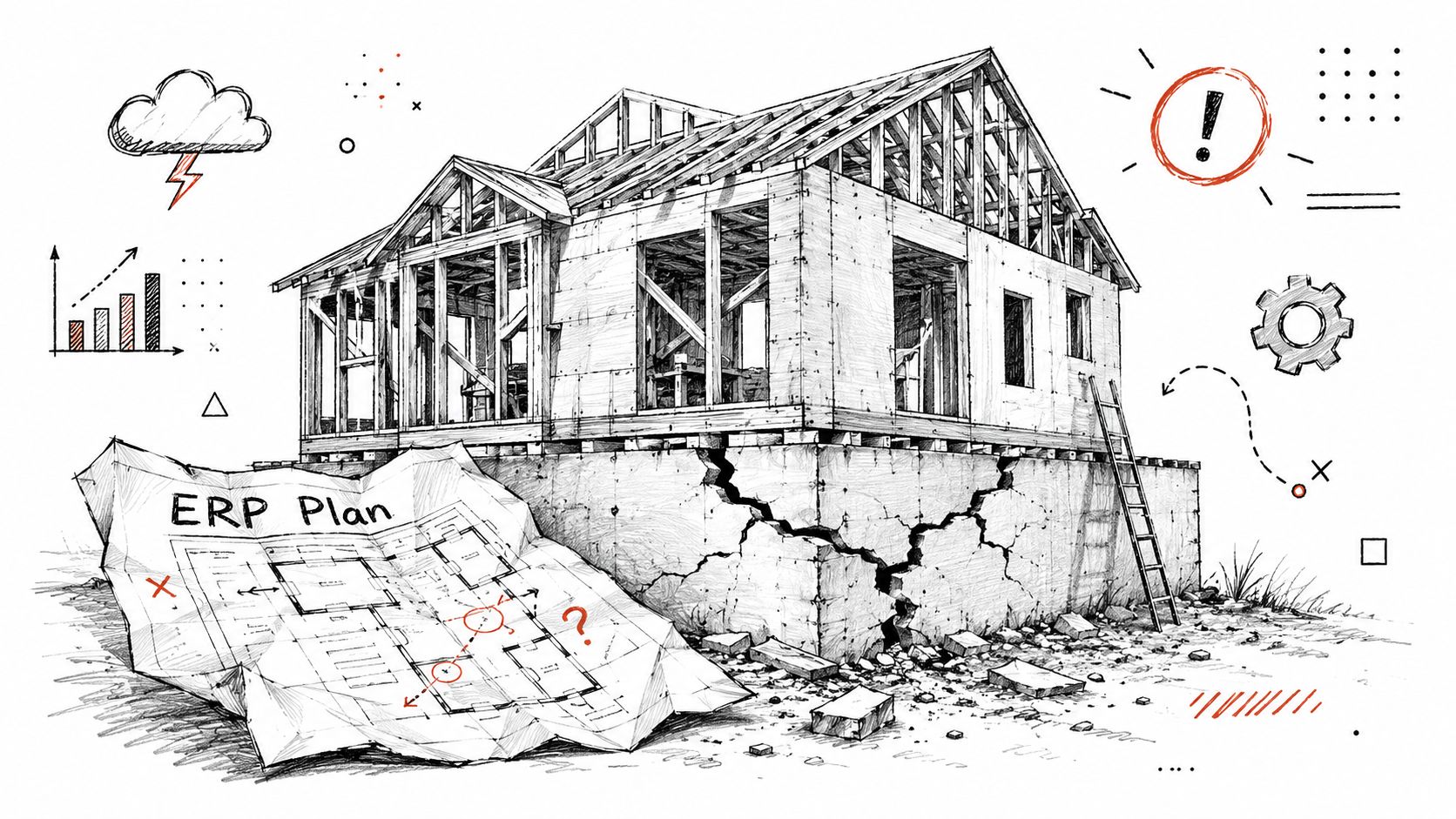
According to Gartner's 2025 research and subsequent industry reports, ERP implementation failure rates globally range from 55% to 75%. For context, a 2023 report highlighted that 50% of ERP implementations fail the first time around, with projects averaging 30% longer than anticipated and costs soaring to three to four times the original budget.
Poor data migration becomes buyer-facing rework
In a homebuilding environment, dirty data doesn't stay in the back office.
A lot number mismatch can hit a purchase agreement, an option package, a lender communication, and a closing file. A stale design selection can trigger purchasing errors. A bad address standard can create confusion in customer documents. These aren't abstract migration defects. They create calls, corrections, and trust erosion.
Three common homebuilder examples:
Lot and plan mismatches: The buyer sees one homesite or elevation in communication while another appears in operational records.
Option package errors: Construction, sales, and customer-facing documents don't reflect the same upgrades.
Milestone confusion: Internal dates move, but customer communication doesn't update with the same logic.
Scope creep usually starts with good intentions
A builder buys an ERP for finance and operations, then slowly asks it to handle customer communication, milestone visibility, and status management. That's where cost and fragility start climbing.
The ERP wasn't designed to be the buyer communication hub. Forcing it into that role usually creates custom work, manual exports, and awkward processes that don't age well. Teams considering broader construction ERP solutions should look closely at that boundary. The question isn't whether the ERP is powerful. It's whether it should own every workflow the business cares about.
Practical rule: If a builder needs the ERP to act like a customer portal, a communication engine, and a warranty experience layer, the project scope is already drifting.
Change resistance looks like workarounds
In homebuilding, resistance doesn't always sound like open disagreement. It looks like people returning to the tools that help them get through the day.
A closing coordinator keeps a spreadsheet because the ERP doesn't show buyer readiness clearly. A construction manager texts updates because formal workflows take too long. A warranty lead avoids the new system because homeowner history is scattered anyway. That resistance is rational. Teams revert when the new process doesn't support the actual job.
Builders sorting through these issues often find it useful to review how construction enterprise resource planning fits into the broader operating model, not just the accounting stack. That's where the homebuilding version of ERP risk becomes easier to diagnose.
The Real Root Cause The Fourth System Gap
Most ERP postmortems focus on training, data hygiene, and governance. Those matter. They still miss the structural issue that hits homebuilders hardest.
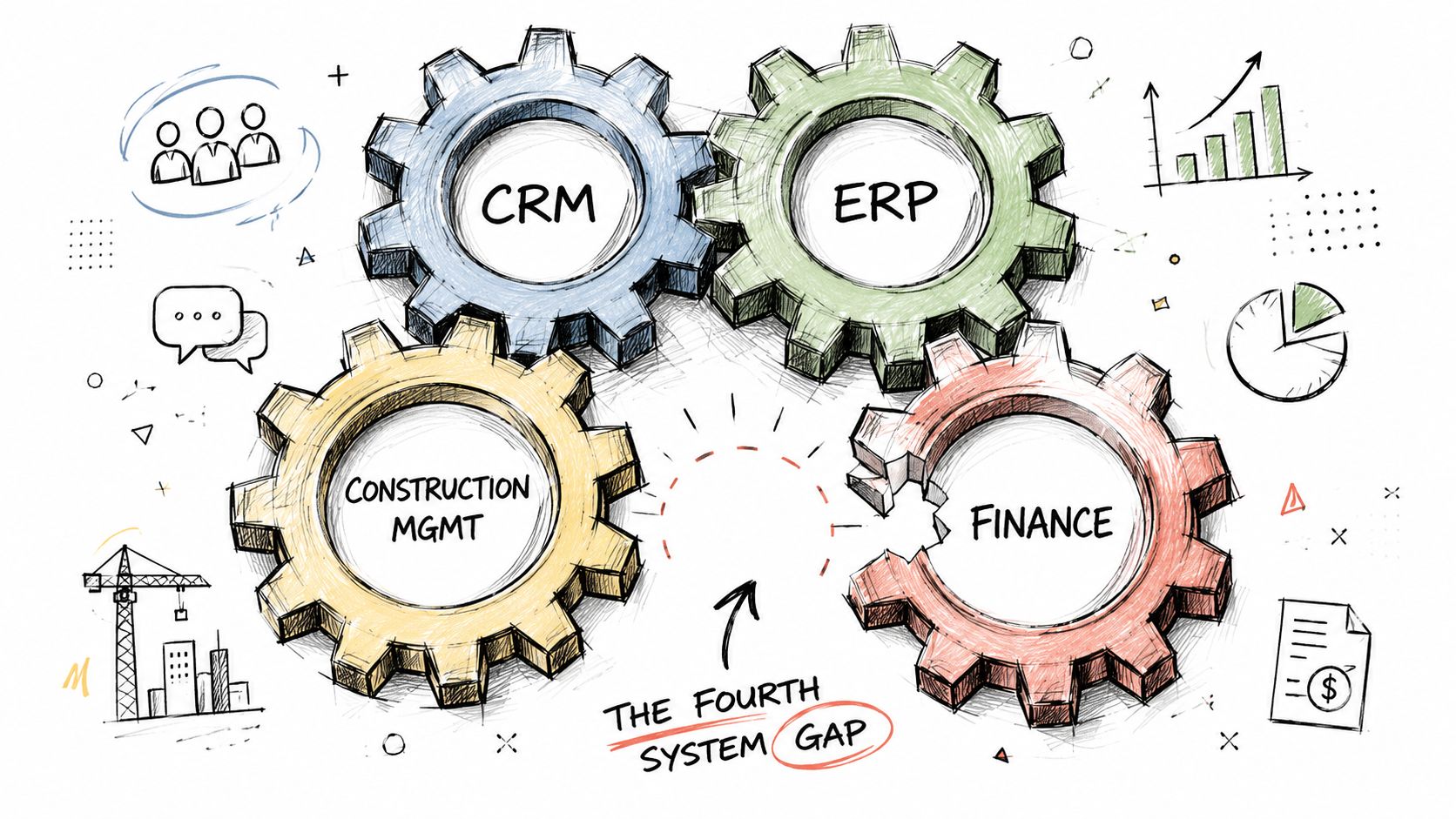
Homebuilders don't operate on one system. They operate on a four-system reality. There is a CRM for leads and sales. There is construction management for the build. There is ERP for financials and operational controls. There is warranty or service management after close. What's usually missing is a dedicated layer that connects those systems to the customer relationship after contract.
Where the actual failure starts
While most content blames ERP failures on data hygiene or training, it overlooks the specific friction where an ERP handling financials is disconnected from the customer experience in Closing, Warranty, and Ownership. Panorama Consulting data indicates that 70% of implementations fail to meet business goals due to process misalignment in the post-contract phase, a phase where siloed ERP data is detached from actual customer touchpoints.
That's the blind spot. The builder gets internal transaction control without a coherent customer journey.
A sales team can mark a deal as sold. Construction can move a home through milestones. Finance can manage contracts, approvals, and revenue recognition. None of that guarantees the buyer knows what happens next, which documents are outstanding, or why the date changed. When no system owns that experience across departments, people fill the gap manually.
The fourth system isn't another department tool
At this point, many leaders make the wrong call. They assume one of the existing systems should stretch further.
That usually fails because each core system was built around a department's primary job:
System | Primary strength | What it doesn't naturally handle well |
|---|---|---|
CRM | Lead and sales workflow | Post-contract delivery across construction, closing, and ownership |
Construction management | Schedule and build execution | Buyer communication and long-tail homeowner experience |
ERP | Financial control and core operations | Customer-facing orchestration across the lifecycle |
Warranty tool | Service case handling | Full buyer-to-owner communication context |
The missing piece is the customer experience layer between those systems. Leaders exploring system integration for builders often realize the hard part isn't connecting software for its own sake. It's deciding which system should own which moment in the buyer journey.
A builder can have clean ERP data and still deliver a fragmented closing and warranty experience.
When that happens, leadership often calls the ERP disappointing. The more accurate diagnosis is that the builder never closed the fourth system gap.
The Hidden Business Impact of a Disconnected ERP
A disconnected ERP doesn't just frustrate operations teams. It changes financial outcomes, team capacity, and brand perception.

The direct costs show up quickly. Teams add support tools. Consultants stay longer. Departments build manual bridges that no one budgeted for. A key 2023 survey found that 94% of finance leaders regret their ERP choices, and 95% encountered hidden costs post-implementation from extra tools and unplanned support. Critically, 75% of ERP strategies are essentially misaligned with the broader business strategy, rendering the technology ineffective and leading to a state where 80% of customers remain unhappy with their systems.
The P&L impact doesn't stay in finance
In homebuilding, disconnected systems create delays that leadership feels in operating rhythm.
Closing slows down: Teams spend time reconciling status, conditions, documents, and buyer readiness instead of moving files cleanly to the finish line.
Customer care gets noisier: Homeowners ask status questions that should've been answered proactively before and after close.
Managers lose capacity: High-value leaders end up resolving preventable confusion between departments.
Brand inconsistency spreads: Buyers in one division get frequent updates while another market leaves them in the dark.
None of those line items may be labeled “ERP issue” in the budget. They still come from the same root cause.
The brand cost is usually underestimated
Builders often measure implementation success by whether the new system works. Buyers judge it by whether the experience feels organized.
If the closing process feels opaque, buyers don't care that the ledger is cleaner. If warranty starts with missing information or repeated handoffs, homeowners won't separate those failures by department. They experience one brand. That's why a disconnected operating model damages more than efficiency. It undermines trust.
Leaders who treat this as a customer experience layer problem, not just a systems problem, usually gain much better visibility into where friction lives. The operating logic behind a customer experience layer for homebuilders is straightforward. Buyers need one coherent journey, even when internal systems remain specialized.
Hidden cost isn't only extra software or support. It's the staff time spent answering avoidable questions and cleaning up fractured handoffs.
The biggest mistake is assuming those costs are temporary. Once teams normalize workarounds, the business starts carrying them quarter after quarter.
A Practical Mitigation Framework for Homebuilder Leaders
Most ERP rescue plans start too late. The better approach is to pressure-test the project before rollout around business fit, data readiness, handoff design, and system boundaries.
Approximately 50% of ERP implementations fail to deliver expected results due to improper data handling. Experts note that 44% of these failures are directly attributed to a lack of internal skills to manage data transformation, reinforcing the need for a data-centric approach where cleansing, validation, and mapping occur as a dedicated pre-rollout phase.
The steering committee checklist
The checklist below works best when leadership uses it before final configuration decisions are locked.
Domain | Key Question for Leadership | Success Metric |
|---|---|---|
Strategic alignment | Does the project define success beyond finance, including closing readiness, customer communication, and post-close experience? | Leadership can name the customer-facing workflows the ERP will support and the workflows it won't own |
Data governance | Are lot, plan, option, buyer, and milestone records standardized before migration? | Teams can validate critical records before go-live without relying on manual reconciliation |
Change management | Have sales, construction, closing, finance, and warranty agreed on new handoffs? | Teams use the same process across functions instead of reverting to side spreadsheets and inbox-based tracking |
Integration architecture | Is there a clear design for how ERP data will connect to CRM, construction, and customer-facing workflows? | The builder can trace how information moves from contract through ownership without duplicate entry |
What to ask before go-live
Some questions should be answered in the boardroom. Others need to be answered by the people doing the work.
For executives:
Business case clarity: Does the implementation improve customer-facing execution, or only internal reporting?
System boundary discipline: Which workflows belong in ERP, and which need a separate connected platform?
Division consistency: Will every market run the same core handoffs, or is each team inventing its own process?
For project leads:
Record integrity: Are key data fields mapped consistently across sales, construction, finance, and service?
Exception handling: What happens when dates move, options change, or a close is delayed?
Communication ownership: Which team triggers updates, and which system distributes them?
What works and what doesn't
What works is disciplined scope, clean master data, and a design that treats customer-facing workflows as first-class operating processes.
What doesn't work is assuming change management means more training slides. Teams don't need more generic messaging. They need workflows that reflect how the business runs. Leaders looking for broader guidance for IT infrastructure projects can borrow useful change-management principles, but homebuilding success depends on applying them to sales handoffs, construction updates, closing coordination, and warranty readiness.
Leadership test: If the project team can't explain how a buyer receives accurate updates from contract through close, the ERP program isn't ready, no matter how strong the finance configuration looks.
Builders that also map these connections into their homebuilder integrations strategy are far less likely to discover critical workflow gaps after go-live.
Best Practices for Integrating Your ERP Ecosystem
The healthiest ERP implementations don't ask the ERP to do everything. They build an ecosystem where each system handles the job it was designed for, and key data moves cleanly between them.

That matters because scope creep frequently causes ERP projects to exceed budgets by up to 150%. This happens when organizations try to add custom features post-contract, forcing the system outside its optimal parameters. Evidence shows 95% of companies experience hidden costs from extra tools and support needed to fix these architectural mismatches, which can be avoided by using dedicated platforms for specific functions.
Keep each system in its lane
A strong ecosystem design usually follows a simple operating principle.
CRM owns lead-to-sale activity
Construction management owns build execution
ERP owns financial control and core operational records
Customer experience workflows sit in a dedicated connected layer
Warranty tools manage service execution, with customer communication tied back to the broader homeowner journey
That model reduces custom ERP work and gives leaders a cleaner operating picture.
Design around the buyer-to-owner journey
In practice, integration should answer one question. Can the builder move reliable information from internal systems into a consistent, builder-branded customer experience without forcing staff into manual relay work?
That means connecting the data points buyers and homeowners care about:
Lifecycle moment | Data needed | Best source system |
|---|---|---|
Post-contract onboarding | Buyer, homesite, contract status | CRM and ERP |
Construction updates | Milestones, schedule progress | Construction management |
Closing preparation | Readiness tasks, documents, expected timing | ERP, construction, and closing workflows |
Ownership and service | Home records, warranty info, updates | Warranty and homeowner experience workflows |
Avoid the expensive customization trap
The wrong pattern is pushing all of this into the ERP through custom screens, bolt-ons, and manual exports.
The stronger pattern is using integration points and dedicated platforms so teams don't have to choose between operational discipline and customer clarity. Automation should remove repetitive work so teams can spend more time on the moments that require judgment, empathy, and expertise. AI can help route, summarize, and support that work, but it shouldn't replace the relationship.
For homebuilders, a dedicated customer experience platform offers significant utility. Not as a CRM replacement. Not as a construction management replacement. Not as an ERP replacement. It acts as the connective tissue across the buyer-to-owner lifecycle, pulling the right data from core systems and turning it into clear workflows, visibility, and communication for teams and customers.
That's the architecture that protects ERP ROI instead of burying it under customization debt.
Your Action Plan for a Successful ERP Implementation
Homebuilder leaders don't need another reminder that ERP projects are hard. They need a sharper definition of success.
For the executive steering committee, the priority is to change the central question. The question isn't only whether the ERP will improve reporting, controls, or standardization. The better question is whether the implementation will create a more reliable buyer and homeowner journey across contract, construction, closing, and warranty.
What the steering committee should do next
Redefine success: Include customer-facing outcomes in the business case, not just finance outcomes.
Set system boundaries early: Decide what belongs in ERP and what requires a connected customer workflow layer.
Require cross-functional proof: Ask sales, construction, closing, warranty, and finance to validate the same future-state process.
What the project team should do next
The delivery team should map the movement of customer-facing data before go-live, not after the first round of complaints.
Trace the lifecycle: Follow buyer, lot, plan, option, milestone, document, and service data from contract through ownership.
Test handoffs, not just fields: Make sure teams can use the process under real operating conditions.
Eliminate shadow systems: Identify where spreadsheets, email chains, texts, and side trackers still carry critical customer information.
Success comes when the ERP supports the business, and the business is designed around how builders actually serve buyers and homeowners.
Builders don't need more software for its own sake. They need fewer disconnected customer workflows. When leadership treats erp implementation problems as a customer experience problem as much as a financial systems problem, the project finally has a chance to deliver real return.
Homebuilders already have systems for leads, jobs, and financials. What they often lack is a connected platform for the customer relationship after the sale begins. Foundation helps builders connect CRM, construction, ERP, and warranty workflows into one builder-branded experience across closing, ownership, customer care, referrals, and repeat purchase, so teams can reduce manual follow-up, improve visibility, and protect the ROI of existing system investments.
More from Foundation

Marketing
New Home Portal: A Builder's Guide to the Buyer Journey
Learn what a new home portal is, the core features builders need, and how it shapes the buyer-to-owner experience across closing and early ownership.
Sep 16, 2026

Marketing
Home Warranty Software: A Practical Buyer's Guide
Compare home warranty software for homebuilders. Evaluate work orders, vendor coordination, customer communication, integrations, and implementation.
Sep 15, 2026

Marketing
How to Improve Team Accountability in Homebuilding
Improve team accountability in homebuilding with clear owners, reliable handoffs, practical metrics, and less manual follow-up from contract through warranty.
Sep 14, 2026