Aug 30, 2026

A purchase agreement gets countersigned, and the builder's work accelerates immediately. Sales shares the executed agreement, construction needs the approved selections, and closing coordinates requirements with the lender and title team. Each department may have the right file. The customer can still be left asking where to find it and what to do next.
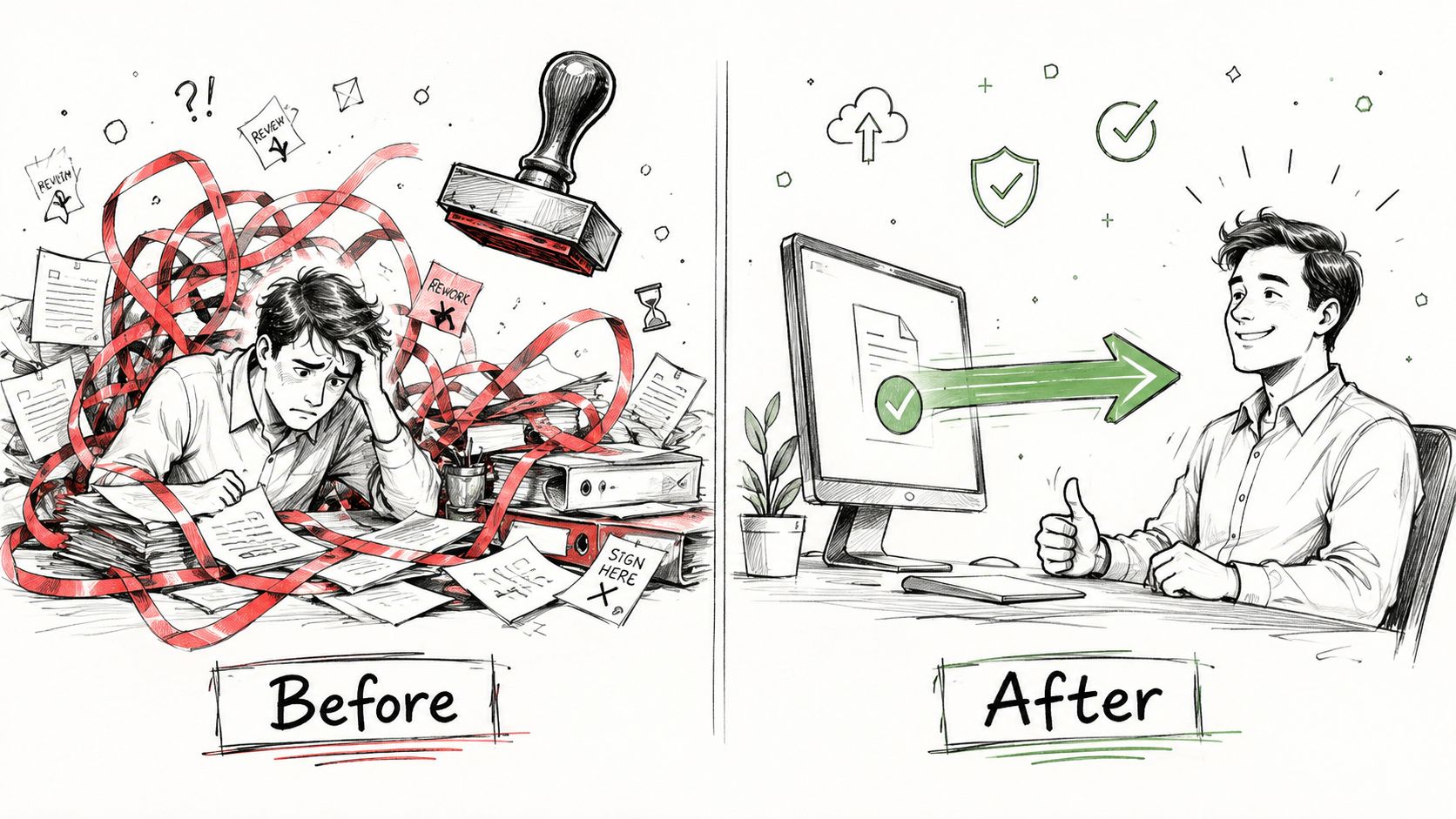
Document delivery automation uses defined rules and connected systems to place approved documents with the correct home, transaction, and recipient, then communicate the next step and record what happened. For homebuilders, the opportunity is not simply sending PDFs faster. It is reducing the manual work between a document becoming available and someone being able to use it.
The standard should be practical: fewer searches, fewer repeated requests, and fewer handoffs that depend on one employee remembering to forward an attachment.
Where Document Handoffs Break Down
A selections file named "final" is not necessarily the version approved for construction. A contract uploaded to a shared drive is not necessarily available to the customer. A warranty booklet delivered at closing does not establish whether an open service item has been resolved.
These are different problems, and each needs a different completion standard. Before choosing an automation tool, identify which document handoff is failing and what the receiving person actually needs.
Start with the documents that create repeat work
Use this map as a starting point, then adapt the sources and owners to your operation.
Document group | Source to confirm | Delivery decision |
|---|---|---|
Executed agreements and addenda | The approved contract or signing system and responsible contract owner | Which completed version belongs to this transaction, and who is authorized to receive it? |
Selections and change orders | The builder's approved design and construction records | Is this ready for customer reference, field execution, or both? |
Closing instructions and lender documents | The responsible closing, lending, or settlement provider | Which party delivers the document, through which channel, and what action is required? |
Ownership and warranty materials | Builder-approved home information and applicable warranty documents | Which materials apply to this home, and where should the customer ask questions or request service? |
Separate shared documents from transaction-specific files
A community guide may apply to many homes. An executed purchase agreement belongs to a particular transaction. A product manual should match the equipment installed in the home, not simply the builder's usual specification.
Make those distinctions before copying files across records. Document ownership should survive a staff handoff without broadening access to unrelated customers or carrying private transaction information into the wrong record.
The first improvement may be a clearer folder structure and ownership rule. Automation becomes valuable when it consistently applies that rule and removes repeated work.
What Document Delivery Automation Actually Means
Document delivery sits alongside document creation, storage, signing, and review. It does not automatically include all of them.
A document management system stores and organizes files. An electronic-signature service manages the signing process. A customer experience platform gives customers access to relevant information and connects it with communication and next steps. Depending on the workflow, these capabilities may come from different connected tools.
Five components to define
Capture: Specify how an approved file arrives, such as an upload, a connected document system, or a configured intake process.
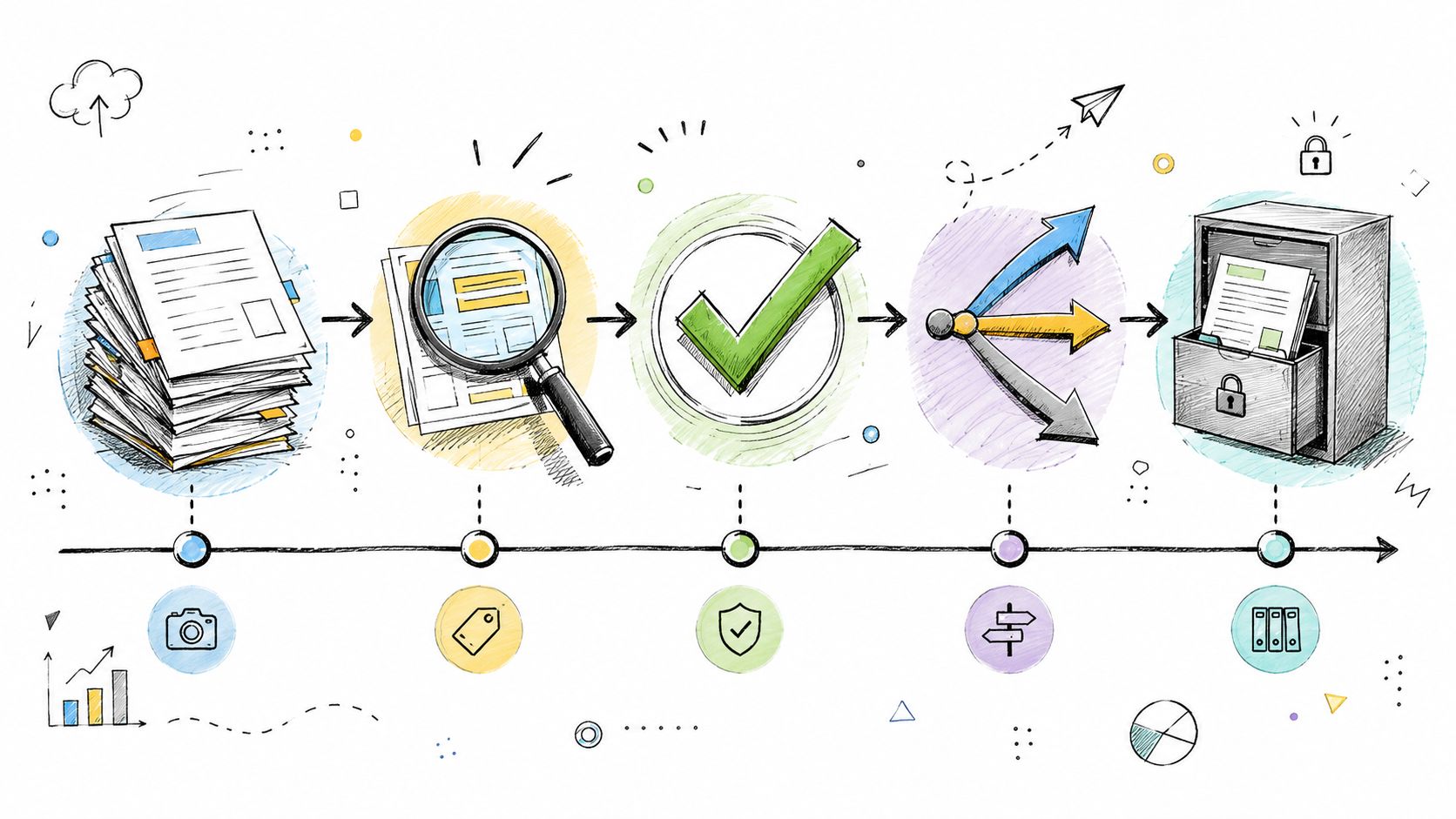
Classification: Associate it with the correct document type, home, transaction, and audience. A reliable record identifier is more useful than guessing from a filename.
Validation: Decide which checks are automated and which require review. Checking that a file exists is not the same as confirming that its contents are correct or its signatures satisfy applicable requirements.
Routing: Identify the destination, recipient, delivery trigger, and person responsible when something is missing.
Evidence: Record the version shared, the action taken, and the result the available systems can actually confirm.
Optical character recognition or AI-assisted extraction may help process scanned files, but they are optional capabilities to evaluate, not prerequisites for every delivery workflow. Do not make automated interpretation of legal or financial documents a condition of starting with a simpler, approved-file handoff.
Foundation's approach to putting the post-contract experience on autopilot illustrates this distinction: when a document becomes available, connected workflows can upload and organize it for the appropriate customer and home. The specific integration and review steps still need to be defined.
How a Reliable Document Workflow Works
Start with a release rule, not a distribution list. For an executed agreement, that rule might specify the authoritative source, required completion status, transaction match, approved recipients, and destination folder.
An illustrative rule could be: once the contract owner confirms the executed package is ready, make the approved customer copy available in that transaction's document center and send the agreed notification. A missing transaction match goes to review instead of being guessed.
Separate delivery from acceptance
Avoid using one "complete" status for every step. Define the events your process needs and confirm what each system records.
Event | What it establishes | What it does not establish |
|---|---|---|
File stored | A document exists in the destination | The correct customer can access it |
Notification sent | A delivery attempt was initiated | The recipient received or read it |
Document accessed | The system recorded access to the file | The recipient understood or approved it |
Acknowledgment recorded | A person completed the specified acknowledgment | Every related task or signing requirement is complete |
Signing completed | The signing provider reports completion of its required steps | Every downstream business condition has been satisfied |
Docusign's explanation of transaction data and Certificates of Completion distinguishes participants, timestamps, viewing events, and signing records. That is a useful reminder to preserve the signing provider's evidence rather than treating a generic upload timestamp as an equivalent record.
Not every informational document needs an acknowledgment. Reserve that step for a defined business requirement rather than making customers click through unnecessary confirmations.
Keep "latest" and "approved" separate
Microsoft's guidance on versioning in SharePoint lists and libraries explains how version history and approval settings can distinguish drafts from published content. Apply that principle wherever your approved documents live.
Record which version was released. Decide how a revision will be presented, whether recipients need a correction notice, and how the previously shared version remains available to authorized staff. A link to a changing file and a preserved copy of an executed agreement serve different purposes.
What Changes for Sales, Closing, Construction, and Customer Care
The goal is not to eliminate every document conversation. It is to give each team a dependable starting point so conversations focus on decisions rather than locating files.
Sales: fewer repeated document requests
Make executed customer copies and relevant next-step guidance easy to find after contract. Give the customer a clear description of what is available and whether an action is required.
Sales should not need to resend the same agreement each time another team joins the conversation. It should also not assume that a document's presence means the customer has understood an important change. Sensitive explanations still belong with a person.
Closing: coordinate readiness without taking over the lender's role
Separate builder-provided instructions from documents controlled by the lender or settlement provider. Define who sends each item and how the closing coordinator confirms the next step.
For U.S. mortgage loans subject to Closing Disclosure requirements, the CFPB explains that the lender must provide the Closing Disclosure at least three business days before closing. A builder's portal notification should not be treated as proof that the lender's delivery obligations have been met.
The CFPB's guidance on reviewing documents before closing also tells customers to confirm whether documents will arrive from the lender or closing agent and through which channel. Use that distinction when writing customer instructions. Have the responsible provider and your legal or compliance reviewers confirm document-specific delivery requirements.
This makes document coordination a useful part of the broader digital closing experience, rather than a second, conflicting mortgage workflow.
Construction: distribute approved information, not implied authorization
Tie selections and change orders to the appropriate home and approval record. Distinguish the customer-facing copy from the version the field is authorized to build from.
When a revision affects scope, cost, or timing, identify who approves the change and who explains its consequences. Delivering a revised PDF should not silently authorize construction work or promise a new closing date.
Customer Care: carry useful context into ownership
Organize home-specific manuals, maintenance guidance, warranty materials, and the service-request path so customers can find them after move-in. Keep unresolved work visible separately from the documents explaining the process.
The FTC's guidance on warranties for new homes advises customers to follow their warranty's claim instructions and keep records of correspondence. A useful ownership handoff makes those instructions accessible without substituting a generic summary for the applicable warranty documents.
A missing appliance manual is an information gap. A defective appliance is a service issue. Better document access should help customers distinguish the next step, not make service harder to request.
Integrations and Access Controls Behind the Scenes
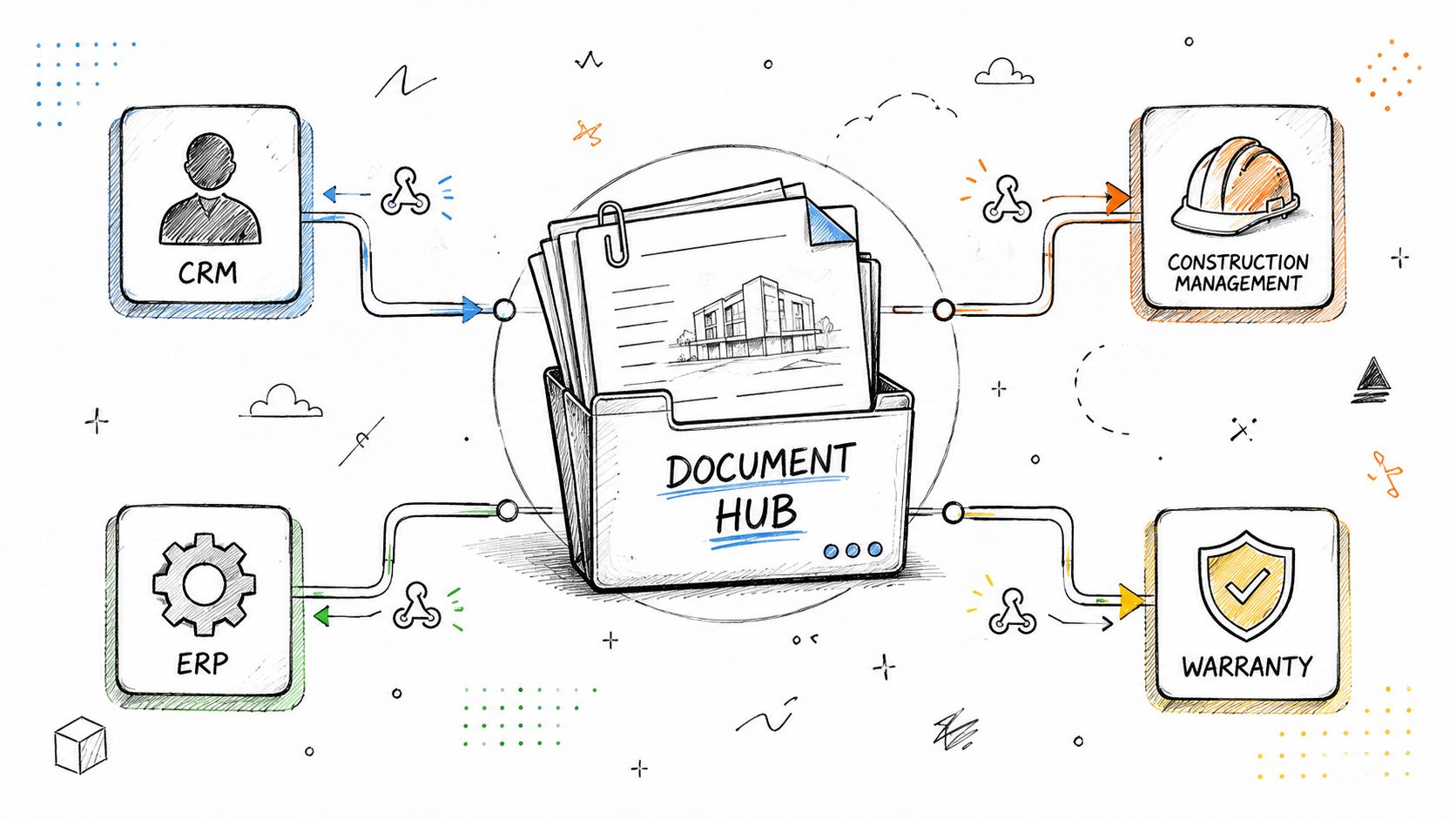
Document automation needs a clear connection between the file and the records identifying the home, transaction, customer, and relevant milestone. It does not require every system to store every document or support identical two-way updates.
Map the actual data flow
For each document type, identify the source, stable record identifier, approved version, intended audience, update frequency, and exception owner. Confirm whether the destination receives a file, a link, a status, or some combination.
An API, scheduled feed, or managed intake workflow may fit depending on the source system and required timing. Evaluate what the connection does, not just its label. Foundation's homebuilder integrations guide provides broader context for connecting existing systems.
Test a missed update, a duplicate event, a corrected file, and a customer reassignment. Ask how the team detects a failure, restores the intended state, and avoids sending duplicate or incorrect notifications. Document any manual steps that remain.
Limit access to the task
NIST describes least privilege as restricting access to what is needed for assigned work. For a builder's document workflow, apply that principle to who can view, upload, replace, delete, or distribute files. These are evaluation questions, not permissions every product necessarily separates.
A trade partner who needs a work scope should not automatically receive the customer's contract package. When customers change homes or contracts are canceled, review access and queued communications before allowing the workflow to continue.
The FTC's guide to protecting personal information recommends collecting and retaining only information needed for a legitimate business purpose. Apply that guidance when deciding whether sensitive mortgage documents belong in the builder's systems at all. Often, a status confirmation from the responsible provider is more appropriate than another copy of the underlying file.
Agree on retention, export, access removal, and recovery requirements before rollout. A document history is useful only when the people responsible can retrieve the records they need.
A Contract-to-Ownership Workflow, Step by Step
The following is an illustrative workflow, not a description of a specific builder deployment or a promise that one platform performs every step.
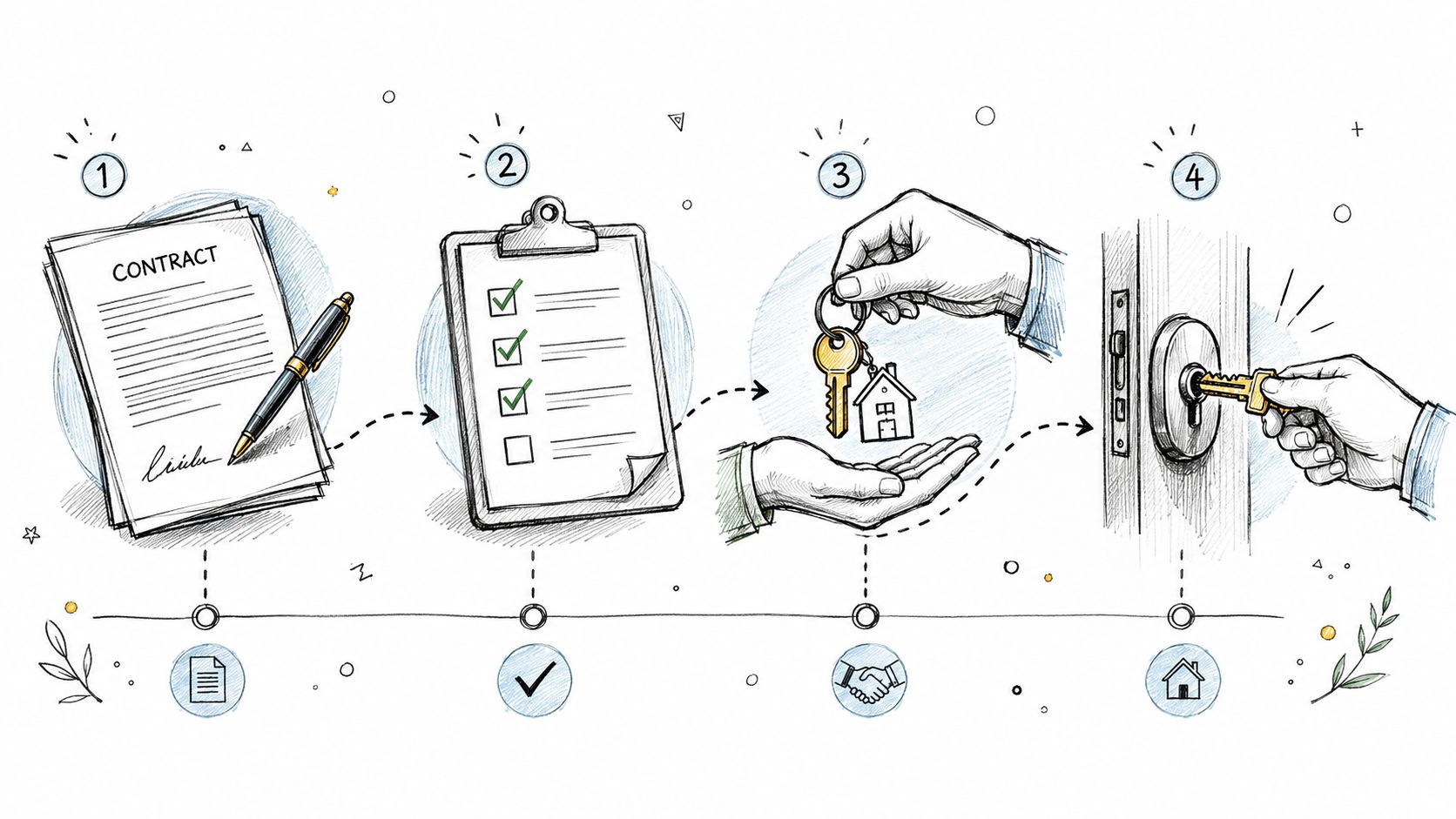
1. Confirm the executed agreement. The contract owner identifies the completed package in the authoritative system. The workflow matches it to the correct home and transaction. Ambiguous matches go to review.
2. Deliver the approved customer copy. The file is placed in the agreed destination and the customer receives an explanation of what it is. Signing records remain with the signing process; the customer copy does not replace them.
3. Handle revisions deliberately. An approved addendum or selection change follows its own release rule. The team preserves the prior record, identifies the current version, and explains any required customer action. Draft revisions are not distributed automatically.
4. Coordinate closing requirements. The closing coordinator checks outstanding builder tasks and confirms the responsible lender or settlement contact for their documents. A missing condition stays open with an owner rather than disappearing because a packet was uploaded.
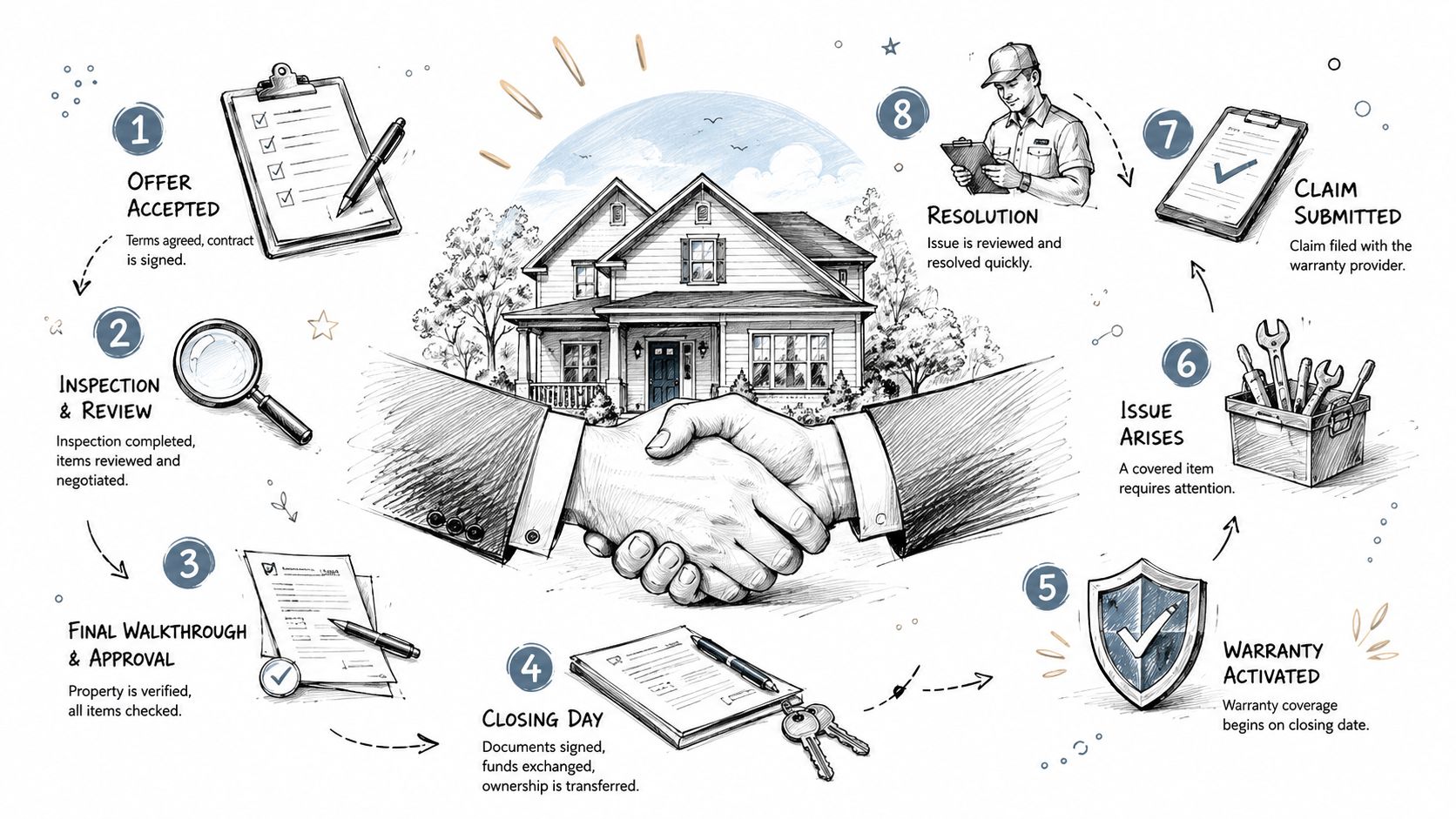
5. Confirm the ownership transition. Use the builder's verified closing or possession milestone, as appropriate to its process, to release the relevant ownership materials. Keep warranty-start dates governed by the applicable documents and rules. Do not treat funding, closing, possession, and warranty commencement as interchangeable events.
6. Keep service work connected but distinct. The customer can find home information and instructions for requesting help. If a service issue arises, route it into the warranty process with relevant context. Delivering a manual does not close the request.
At each step, the receiving person should know what the document means, whether action is required, and whom to contact. That is more useful than a notification that simply says, "A new file is available."
Success Metrics and ROI Builders Should Track
Measure the document workflow itself before attributing broader changes in closings, revenue, or customer satisfaction to it. Choose a defined set of document types and establish a baseline from recent transactions.
Measure | Working definition | Review alongside |
|---|---|---|
Approved-to-available time | Time from release approval to availability in the intended destination | Correct recipient and version |
First-pass delivery accuracy | Deliveries requiring no correction to document, recipient, version, or destination, divided by deliveries reviewed | Failed and withdrawn deliveries |
Open exception age | Time unresolved delivery or matching exceptions have remained open | Owner and next action |
Manual handling effort | Staff time spent finding, checking, uploading, resending, and correcting documents | New monitoring and review work |
Repeat document requests | Repeat requests for the same document within a defined transaction sample | Access problems and unclear instructions |
Do not count notification volume as proof of success. Fewer customer requests are useful only when customers can still find information and get help. Pair activity data with actual completion and customer feedback, as discussed in measuring customer engagement.
For a capacity estimate, compare handling time before and after the change across comparable document volumes, including the time spent reviewing exceptions. Hours recovered create room for selling, closing coordination, and Customer Care. They are not automatically payroll savings or additional revenue.
Include software, integration, training, maintenance, and ongoing administration in the business case. The strongest result is less total work, not work shifted from sales into a hidden support queue.
Common Pitfalls and a Practical Starting Point
Avoid three shortcuts: treating a portal as the entire workflow, treating a delivery event as an approval, and treating every document as appropriate for every participant.
Start with one repeatable handoff, such as making executed customer agreements available in the correct document center. Define the source, release condition, recipients, exception owner, and success measure before expanding to other documents.
Test it with the people who will use it. Include an incorrect home identifier, an unfinished signing package, a revised file, a recipient without access, and a repeat delivery event. Confirm what the customer sees and what staff must do to resolve each problem.
Where Foundation fits
Foundation connects the post-contract customer experience with the systems a builder already uses. Its Operator tools and automation support internal teams, while the Ownership Experience and Document Center give customers ongoing access to their home information and documents.
The delivery approach should be configured around the builder's actual sources and processes. Some documents can arrive through connected or managed workflows; others may still need a team member to upload or review them. The objective is to remove repetitive coordination without implying that document access replaces signing, approval, or compliance review.
When a document question becomes a service issue, WarrantyOS supports service requests, work orders, scheduling, vendor coordination, and customer communication. That is a warranty operations workflow, not simply another folder for attachments.
The goal is not to move more files. It is to give customers the right information and give teams more time to act on what matters.
More from Foundation

Technology
What's New - October 2026
From request to resolution, faster. October’s updates make it easier for Customer Care teams to move from intake to action with fewer clicks and more context.
Oct 28, 2026

Technology
What's New - September 2026
WarrantyOS, from work order to payment. September’s updates bring more of the day-to-day warranty workflow into one connected experience.
Sep 30, 2026

Marketing
New Home Portal: A Builder's Guide to the Buyer Journey
Learn what a new home portal is, the core features builders need, and how it shapes the buyer-to-owner experience across closing and early ownership.
Sep 16, 2026